Best Texture Packs in Minecraft – Free Downloads, Installation Guide & Updated Resource Packs
Best Texture Packs in Minecraft – Free Downloads, Installation Guide & Updated Resource Packs
Minecraft is a game enjoyed by millions of people around the world, and what makes it even more interesting is that players can change the look and feel of the game with the help of a texture pack. The packs change everything from block and item textures to the environment, in general. This article will guide you on how one should download Minecraft texture packs, from their selection to actual installation.
Why Minecraft Texture Packs Matter
Texture packs are modifications that allow players to customize their Minecraft world. Want a more realistic environment, a cartoon-like look, or a medieval-themed adventure? The choice is totally yours with texture packs. They also improve visual clarity and, in some instances, optimize performance on different devices.
Texture Packs Types
Minecraft APK represents a lot of texture packs, all with their own style and features. Following are some of the common types:
Default – Emphasizes the vanilla Minecraft textures with a classic feel.
Realistic-HD: Adds high-definition textures for a more realistic gaming experience.
Cartoonish: The pack provides a play of bright and exaggerated shapes, perfect for a fun and playful experience.
Medieval: perfect for fantasy and RPG worlds, featuring rustic and medieval-themed textures.
HD – High-resolution textures that provide extreme detail and high clarity of the visuals.
Custom: These packs are designed to achieve a specific look or theme, such as a particular movie, TV show, or video game.
These texture packs change nothing else but the look of blocks, mobs, items, and user interface.
How to Choose the Best Texture Pack?
When choosing a texture pack, pay attention to a few things:
Performance Considerations
However, some of the high-resolution texture packs can lag the game, especially for low-end devices. In cases of lag, use a light, performance-optimized pack.
Style and Theme Preferences
Decide what kind of aesthetic you want. Whether it’s realistic landscapes or a retro, pixelated look, choose a texture pack that enhances your gaming experience.
Device Compatibility
Make sure the texture packs is compatible with your version of Minecraft playing (Java Edition, Bedrock Edition, or Pocket Edition) before downloading. Check the pack description for any compatibility information.
How to Download and Install Texture Packs in Minecraft?
Installing Minecraft texture packs is pretty straightforward. Here’s how it goes:
Find a Texture Pack: You can find these on the official Minecraft Marketplace, Planet Minecraft, and CurseForge. Make sure you download a pack that is designed for your version of minecraft.
Download the Pack: First, download the file of the texture pack. This will often be in .zip format.
Open Minecraft: Open Minecraft and click on “Options”.
Resource Packs: Click on “Resource Packs”.
Importar el Pack: Haga click en el botón “Open Resource Pack Folder”. This opens a file explorer window.
Move the File: Drag and drop the downloaded .zip file into the resource pack folder.
Activate the Pack: Once you get back to the “Resource Packs” menu in Minecraft, you will now see the newly imported texture pack. Click on it to enable it. Done! The new texture pack should now be applied to your world in Minecraft.
Pros and Cons
Pros
- Enhances Minecraft’s visual appeal.
- Provides a fresh and immersive gaming experience.
- Customizable based on personal preference.
- Some packs optimize performance by reducing resource usage.
Cons
- Some high-resolution packs can cause lag.
- Not all texture packs are free.
- Incompatibility issues with some versions of Minecraft.
Recommended Texture Packs
Here are some popular texture packs among Minecraft players:
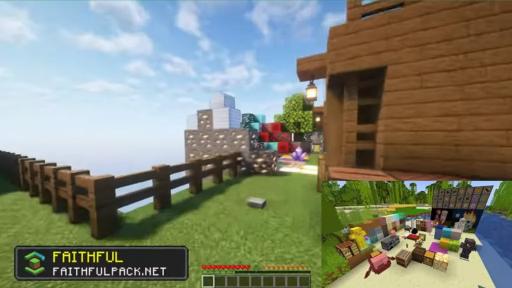
Faithful – A high-quality enhancement of the default textures.
Sphax Pure BDCraft – Comic-book style texture pack
John Smith Legacy: A medieval and rustic-themed pack.
LB Photo Realism – A high-resolution realistic texture pack. Dokucraft is a fantasy-based texture pack with several different variations.
Frequently Asked Questions
Are texture packs free?
Many texture packs are free, but some premium packs require payment.
Can I use texture packs on all versions of Minecraft?
Not all texture packs are compatible with every version. Always check if the pack supports your Minecraft edition.
Do texture packs affect game performance?
High-resolution texture packs may cause lag on low-end devices, so choose accordingly.
How do I remove a texture pack?
Go to Options > Resource Packs, deselect the pack, and delete it from the resourcepacks folder if needed.
Final Thoughts
Texture packs are a great way to personalize and improve your Minecraft experience. Whether you want better visuals, a new theme, or optimized performance, there’s a texture pack for you.